

1
Subscribe to a Plan
Choose an API plan that fits your needs. API access requires an active subscription (Starter, Pro, or Enterprise).
2
Get Your API Credentials
Log into your Creatify account, click your account name in the top-left corner, and select API Dashboard. Click Show API Keys to reveal your 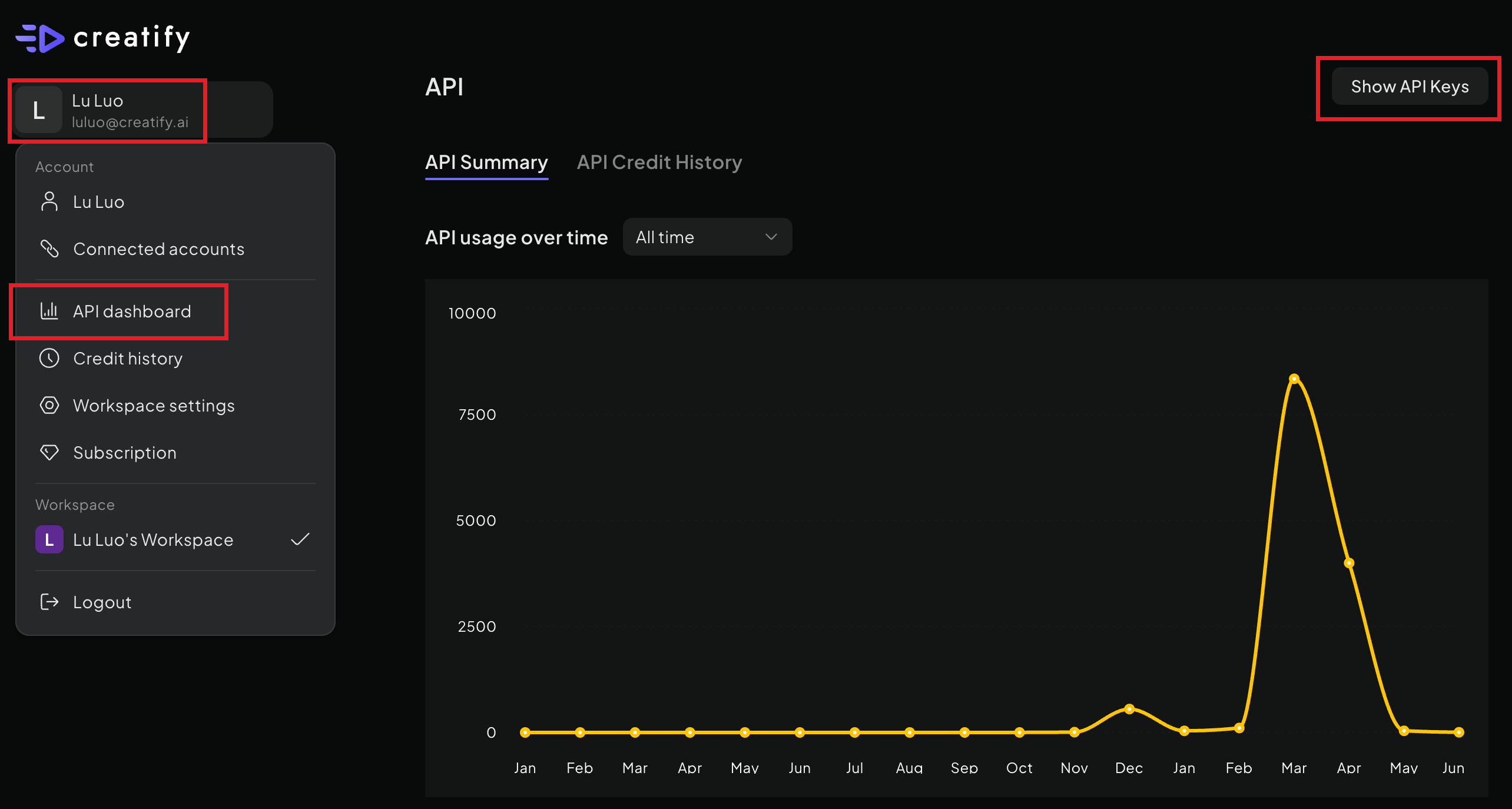
X-API-ID and X-API-KEY.3
Make Your First API Call
Include your credentials in the request headers and start generating videos:
Next Steps
URL to Video
Transform any product URL into engaging video ads automatically.
Aurora Avatar
Create ultra-realistic AI avatar videos with our latest Aurora model.
AI Avatar
Generate talking avatar videos with text-to-speech and lip synchronization.
Billing & Pricing
Understand our subscription plans and credit-based pricing model.