> ## Documentation Index
> Fetch the complete documentation index at: https://docs.creatify.ai/llms.txt
> Use this file to discover all available pages before exploring further.
# Overview
> API that converts text into high-impact, viral short-form videos — optimized for performance and shareability.
**Deprecated:** AI Shorts API is deprecated and will be removed in a future release. Please use [URL to Video](/api-documentation/url-to-video/link-to-video) or [AI Avatar](/api-documentation/ai-avatar/lipsync-v2) instead.
## 🚀 Introduction
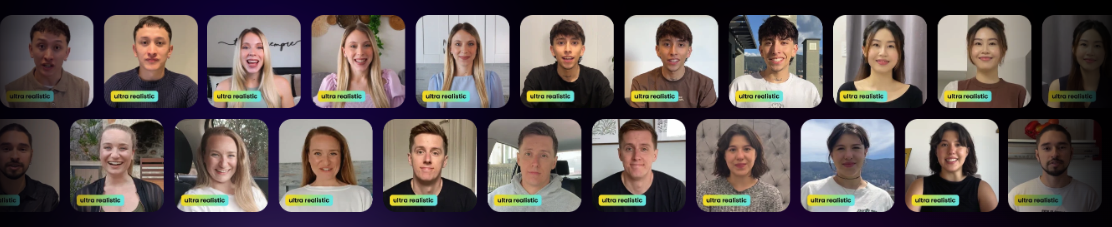
The **AI Shorts API** allows you to turn any script into an engaging, short-form video designed for virality. Whether you're promoting a product, delivering a message, or testing content hooks, this tool offers fast, scalable video generation with cinematic quality.
 ***
## ⚙️ Quickstart Guide
### ✅ Prerequisites
Before you begin, ensure you have:
* A [Creatify](https://app.creatify.ai) account with **API access**
* Your **API credentials** (see [Quickstart](/quickstart))
***
## 📝 Step 1: Submit a Video Generation Request
Use this endpoint to generate a short-form video from a script.
```bash Example Request theme={null}
curl --request POST \
--url https://api.creatify.ai/api/ai_shorts/ \
--header 'Content-Type: application/json' \
--header 'X-API-ID: your-api-id' \
--header 'X-API-KEY: your-api-key' \
--data '{
"script": "Meet the Tesla Model X, where cutting-edge technology meets unparalleled performance. Designed with luxury and comfort in mind, the Model X offers a driving experience like no other.",
"aspect_ratio": "9x16",
"style": "4K realistic"
}'
```
```json Example Response theme={null}
{
"id": "c7f61ee0-97d5-49a4-bb85-e8c70d611030",
"media_job": null,
"status": "pending",
"video_output": null,
"preview": null,
"credits_used": 0,
"is_hidden": false,
"progress": 0,
"created_at": "2025-05-21T22:45:03.392489-07:00",
"updated_at": "2025-05-21T22:45:03.392515-07:00",
"permission_type": "workspace",
"name": "Artsy video",
"script": "Meet the Tesla Model X, where cutting-edge technology meets unparalleled performance. Designed with luxury and comfort in mind, the Model X offers a driving experience like no other.",
"aspect_ratio": "9x16",
"style": "4K realistic",
"created_from_api": true,
"caption_setting": null,
"background_music_url": null,
"background_music_volume": null,
"voiceover_volume": null,
"webhook_url": null,
"user": 18165,
"workspace": "a1240918-1f02-47f1-bebe-832a555507f3",
"accent": null
}
```
> 🎬 The response includes a unique video ID. Save it to check status.
***
## ⏳ Step 2: Check Video Generation Status
After submitting the request, monitor the generation progress using the returned ID.
```bash Example Request theme={null}
curl --request GET \
--url https://api.creatify.ai/api/ai_shorts/c7f61ee0-97d5-49a4-bb85-e8c70d611030/ \
--header 'X-API-ID: your-api-id' \
--header 'X-API-KEY: your-api-key'
```
```json Example Response theme={null}
{
"id": "c7f61ee0-97d5-49a4-bb85-e8c70d611030",
"media_job": "2e243d9c-6570-4845-b749-d0aa25fd3be5",
"status": "done",
"video_output": "https://s3.us-west-2.amazonaws.com/remotionlambda-uswest2-30tewi8y5c/renders/rb8dnrq8nj/output.mp4",
"preview": "https://app.creatify.ai/preview?layout=videos/20250521/d336d0c6-3415-406e-94e9-324c46093ea0.json",
"credits_used": 5,
"is_hidden": false,
"progress": 1,
"created_at": "2025-05-21T22:45:03.392489-07:00",
"updated_at": "2025-05-21T22:45:03.545370-07:00",
"permission_type": "workspace",
"name": "Artsy video",
"script": "Meet the Tesla Model X, where cutting-edge technology meets unparalleled performance. Designed with luxury and comfort in mind, the Model X offers a driving experience like no other.",
"aspect_ratio": "9x16",
"style": "4K realistic",
"created_from_api": true,
"caption_setting": null,
"background_music_url": null,
"background_music_volume": null,
"voiceover_volume": null,
"webhook_url": null,
"user": 18165,
"workspace": "a1240918-1f02-47f1-bebe-832a555507f3",
"accent": null
}
```
> ⏳ When `status` is `done`, retrieve your video from the `video_output` field.
***
## 🎯 Summary
| Step | Endpoint |
| ------------- | -------------------------------------------------------------- |
| Create Task | `POST /api/ai_shorts/` |
| Check Status | `GET /api/ai_shorts/{id}/` |
| API Reference | [AI Shorts Reference](/api-reference/ai-shorts/post-ai-shorts) |
***
## 🤝 Need Help?
If you run into any issues, check out our [API Reference](/api-reference) or contact [api@creatify.ai](mailto:api@creatify.ai).
***
## ⚙️ Quickstart Guide
### ✅ Prerequisites
Before you begin, ensure you have:
* A [Creatify](https://app.creatify.ai) account with **API access**
* Your **API credentials** (see [Quickstart](/quickstart))
***
## 📝 Step 1: Submit a Video Generation Request
Use this endpoint to generate a short-form video from a script.
```bash Example Request theme={null}
curl --request POST \
--url https://api.creatify.ai/api/ai_shorts/ \
--header 'Content-Type: application/json' \
--header 'X-API-ID: your-api-id' \
--header 'X-API-KEY: your-api-key' \
--data '{
"script": "Meet the Tesla Model X, where cutting-edge technology meets unparalleled performance. Designed with luxury and comfort in mind, the Model X offers a driving experience like no other.",
"aspect_ratio": "9x16",
"style": "4K realistic"
}'
```
```json Example Response theme={null}
{
"id": "c7f61ee0-97d5-49a4-bb85-e8c70d611030",
"media_job": null,
"status": "pending",
"video_output": null,
"preview": null,
"credits_used": 0,
"is_hidden": false,
"progress": 0,
"created_at": "2025-05-21T22:45:03.392489-07:00",
"updated_at": "2025-05-21T22:45:03.392515-07:00",
"permission_type": "workspace",
"name": "Artsy video",
"script": "Meet the Tesla Model X, where cutting-edge technology meets unparalleled performance. Designed with luxury and comfort in mind, the Model X offers a driving experience like no other.",
"aspect_ratio": "9x16",
"style": "4K realistic",
"created_from_api": true,
"caption_setting": null,
"background_music_url": null,
"background_music_volume": null,
"voiceover_volume": null,
"webhook_url": null,
"user": 18165,
"workspace": "a1240918-1f02-47f1-bebe-832a555507f3",
"accent": null
}
```
> 🎬 The response includes a unique video ID. Save it to check status.
***
## ⏳ Step 2: Check Video Generation Status
After submitting the request, monitor the generation progress using the returned ID.
```bash Example Request theme={null}
curl --request GET \
--url https://api.creatify.ai/api/ai_shorts/c7f61ee0-97d5-49a4-bb85-e8c70d611030/ \
--header 'X-API-ID: your-api-id' \
--header 'X-API-KEY: your-api-key'
```
```json Example Response theme={null}
{
"id": "c7f61ee0-97d5-49a4-bb85-e8c70d611030",
"media_job": "2e243d9c-6570-4845-b749-d0aa25fd3be5",
"status": "done",
"video_output": "https://s3.us-west-2.amazonaws.com/remotionlambda-uswest2-30tewi8y5c/renders/rb8dnrq8nj/output.mp4",
"preview": "https://app.creatify.ai/preview?layout=videos/20250521/d336d0c6-3415-406e-94e9-324c46093ea0.json",
"credits_used": 5,
"is_hidden": false,
"progress": 1,
"created_at": "2025-05-21T22:45:03.392489-07:00",
"updated_at": "2025-05-21T22:45:03.545370-07:00",
"permission_type": "workspace",
"name": "Artsy video",
"script": "Meet the Tesla Model X, where cutting-edge technology meets unparalleled performance. Designed with luxury and comfort in mind, the Model X offers a driving experience like no other.",
"aspect_ratio": "9x16",
"style": "4K realistic",
"created_from_api": true,
"caption_setting": null,
"background_music_url": null,
"background_music_volume": null,
"voiceover_volume": null,
"webhook_url": null,
"user": 18165,
"workspace": "a1240918-1f02-47f1-bebe-832a555507f3",
"accent": null
}
```
> ⏳ When `status` is `done`, retrieve your video from the `video_output` field.
***
## 🎯 Summary
| Step | Endpoint |
| ------------- | -------------------------------------------------------------- |
| Create Task | `POST /api/ai_shorts/` |
| Check Status | `GET /api/ai_shorts/{id}/` |
| API Reference | [AI Shorts Reference](/api-reference/ai-shorts/post-ai-shorts) |
***
## 🤝 Need Help?
If you run into any issues, check out our [API Reference](/api-reference) or contact [api@creatify.ai](mailto:api@creatify.ai).